> ## Documentation Index
> Fetch the complete documentation index at: https://developer.onetrust.com/llms.txt
> Use this file to discover all available pages before exploring further.
# BigCommerce
# BigCommerce and the OneTrust Script
If you use BigCommerce to manage your website, you can add the script to your theme header, along with the scripts for tag managers your organization uses.
## Integration Steps
1. Open your **BigCommerce** account.
2. On the main navigation menu, select **Storefront** and then **Script Manager**. The Script Manager screen appears.
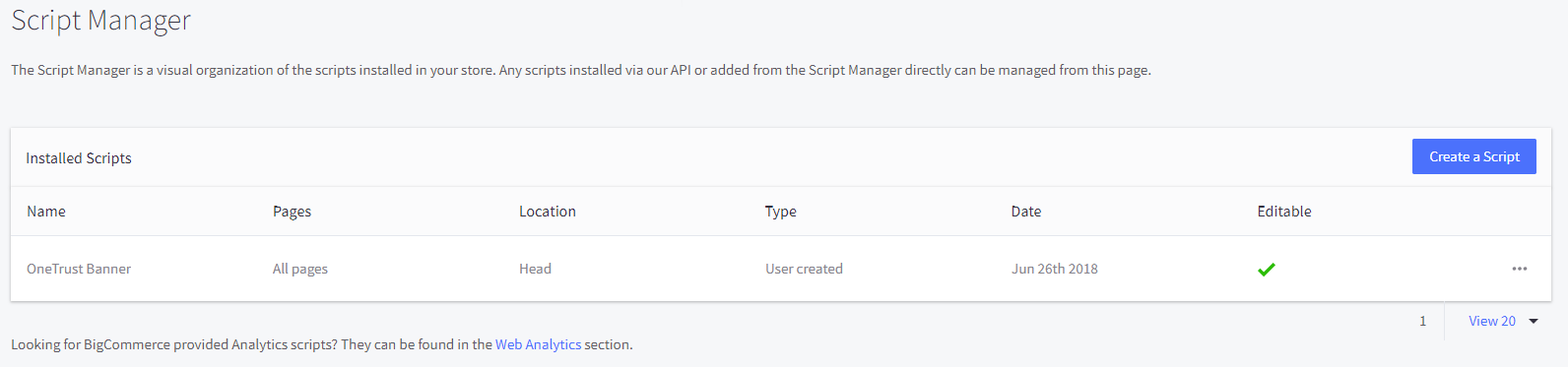 3. Click the **Create a Script** button.
4. Complete the fields as follows:
> For the integration to work, you must have a published script. For information on how to publish a script, see [Getting Started with Cookie Consent](https://my.onetrust.com/s/article/UUID-181537c5-2d13-d32f-0eeb-f0dc1a44c90b).
3. Click the **Create a Script** button.
4. Complete the fields as follows:
> For the integration to work, you must have a published script. For information on how to publish a script, see [Getting Started with Cookie Consent](https://my.onetrust.com/s/article/UUID-181537c5-2d13-d32f-0eeb-f0dc1a44c90b).
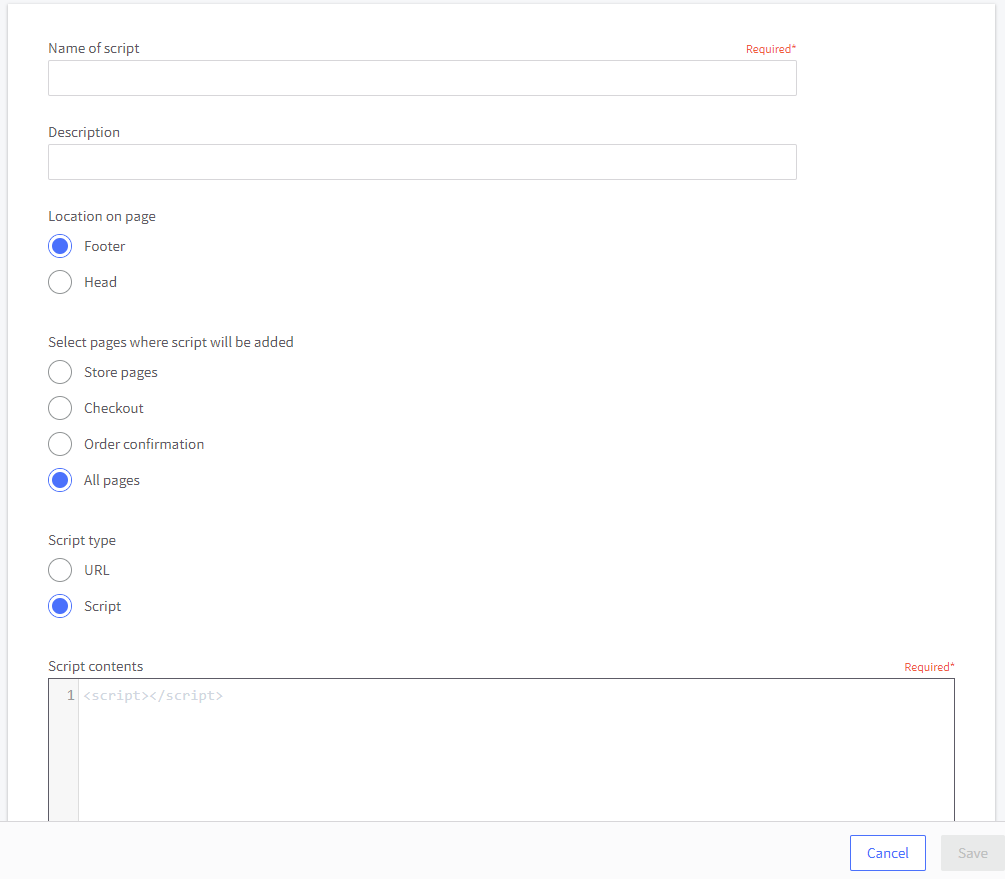 | Field | Setting |
| --------------------------------------- | ------------------------------------------- |
| Name of script | Enter **OneTrust Banner** |
| Location on page | Select **Head** |
| Select pages where script will be added | Select **All pages** |
| Script type | Select **Script** |
| Script contents | Paste your published script (example below) |
```html
```
5. Click the **Save** button.
| Field | Setting |
| --------------------------------------- | ------------------------------------------- |
| Name of script | Enter **OneTrust Banner** |
| Location on page | Select **Head** |
| Select pages where script will be added | Select **All pages** |
| Script type | Select **Script** |
| Script contents | Paste your published script (example below) |
```html
```
5. Click the **Save** button.