
Goal
OneTrust provides a comprehensive set of APIs that enable programmatic management of key Consent Management Platform (CMP) operations, mirroring the capabilities available within the OneTrust dashboard. These APIs allow organizations to automate activities such as domain scanning, cookie management (including adding, editing, and recategorizing cookies), geolocation rule assignment, and script publishing.
Overview
In many implementations, these tasks are performed manually via the OneTrust UI. However, as environments scale across multiple domains, applications, and regions, manual management can become resource-intensive and operationally challenging.
To address this, OneTrust APIs offer a reliable and scalable approach to automate these workflows. By leveraging APIs, organizations can:
- Initiate and manage domain scans programmatically
- Maintain and update cookie inventories, including categorization changes
- Assign and manage geolocation rules dynamically
- Publish consent scripts without manual intervention
Value Proposition
Automating these processes helps reduce dependency on manual effort, improves operational efficiency, and ensures consistency across implementations. This is particularly beneficial for organizations managing large digital estates or requiring frequent updates.
Solution
This article provides a step-by-step walkthrough to help you design and implement an automation script using OneTrust APIs. By following this approach, you can streamline routine CMP operations and integrate them seamlessly into your existing workflows.
Prerequisites
Before implementing the automation, ensure you have:
- Access to OneTrust APIs (API credentials and authentication tokens)
- Required permissions to manage domains, cookies, and scripts
- Understanding of your CMP configuration (domains, categories, geolocation rules)
- A scripting environment (e.g., Bash, Python, Node.js)
Step 1: Authenticate with OneTrust APIs
- Generate and configure API credentials. For more information on how to generate the API token, see the Managing OAuth 2.0 Client Credentials article.
- Establish authentication (e.g., bearer token) for API requests
Step 2: Automate Domain Scanning
- Use the scanning API to trigger scans for required domains
- Optionally schedule scans using automation scripts
- Track scan status if required for workflow validation
- For more information, see the Applications APIs.
Step 3: Manage Cookie Inventory
- Add new cookies identified during scan
- Update existing cookies (metadata, descriptions, durations)
- Recategorize cookies based on compliance requirements
- Below is attached curl for your reference.
- For more information, see the Cookies APIs.
Example 1: API automation approach for adding and editing cookies
postman request POST 'https://app-eu.onetrust.com/api/cmp/v1/webscans/cookies' \
  --header 'accept: application/json' \
  --header 'content-type: application/json' \
  --header 'Authorization: Bearer MjlmMmQ2MDYxZmEzNDZjNzhjZWE2MTEyMDM3NjhjNzY6UXpMZnVuaUlCbnBOREZxRHdsMWNUMUZQeHd5dlp3eDk=' \
  --body '
[
  {
    "lifespan": "PERSISTENT",
    "length": 1,
    "durationType": 1,
    "cookieName": "TestCookie-Prashant",
    "host": "accessibility.pg.com/en-uk",
    "description": "This is for testing purpose,Please delete in future for dashbaord sanity",
    "thirdPartyDescription": "This is for testing purpose",
    "customCategoryName": "4",
    "domainCookieCategoryList": [
      {
        "domainId": "019c94af-8c0b-7382-a610-c5564fdbe29c",
        "customCategoryName": "4",
        "thirdParty": true,
        "description": "Testing purpose"
      }
    ]
  }
]
' \
  --auth-bearer-token 'MjlmMmQ2MDYxZmEzNDZjNzhjZWE2MTEyMDM3NjhjNzY6UXpMZnVuaUlCbnBOREZxRHdsMWNUMUZQeHd5dlp3eDk='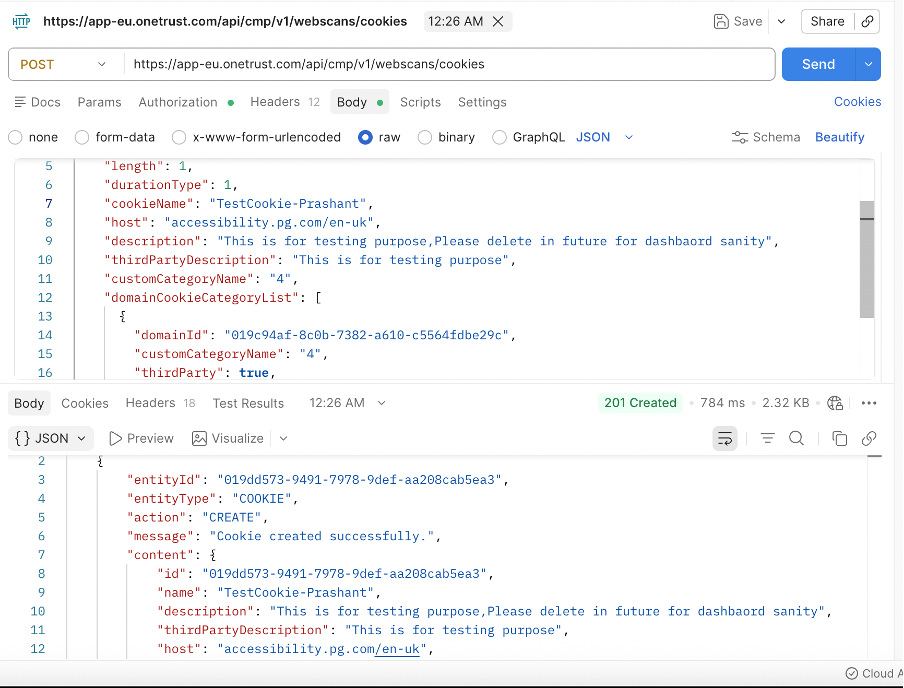
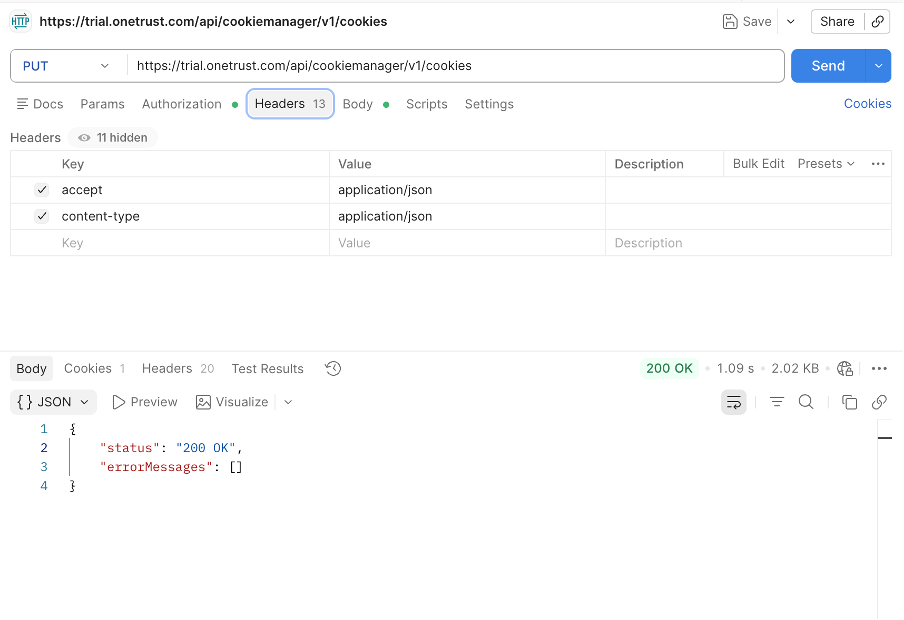
Example 2: Assigning multiple domains to one cookie
curl --location --request PUT 'https://trial.onetrust.com/api/cookiemanager/v1/cookies' \
--header 'accept: application/json' \
--header 'content-type: application/json' \
--header 'Authorization: Bearer YzM5MTE0MDc0NjM2NGMxOGE0ZTlhNTdlODE4NjViZTQ6UTlJUXI3SmV4aElCRUN5QjNrQzMwbUx1Z090ckZDdDE=' \
--header 'Cookie: __cflb=0H28vh4R4WVWWwRxD1uEQY6n8snSgCVD8nZvVwSm1iM' \
--data '
{
  "description": "\"\"",
  "thirdPartyDescription": "\"\"",
  "length": 0,
  "domainCookieCategoryList": [
    {
      "domainId": "019be575-4eca-7b00-a44d-c1b0a0fce741"
    },
    {
      "domainId": "019d3d3a-3742-7ed8-8151-866c1ea8771c"
    }
  ],
  "cookieId": "019c6513-3fdd-76a8-badd-0684bb5e7baa"
}
'
Step 4: Assign Geolocation Rules
- Programmatically map domains or configurations to specific geolocation rules
- Ensure correct consent experiences are applied based on user region
- Note: Multiple domains can have one geolocation rule, but one domain cannot have multiple geolocation rules. You can use the Assign Geolocation Rule Group API to assign a domain, but due to the above logic, when you assign the same domain with another geolocation rule group, the domain will get unassigned automatically from the previous domain. OneTrust does not explicitly provide an Unassign Geolocation Rule Group API.
- For more information, see the Geolocation Rules APIs.
Step 5: Publish Consent Scripts
- Trigger script publishing after configuration updates
- Ensure changes are deployed across environments without manual intervention
- For more information, see the Scripts APIs.
Result / Outcome
By implementing API-based automation, organizations can:
- Reduce manual dependency for routine CMP operations
- Improve consistency across domains and environments
- Accelerate update cycles for scans and script publishing
- Enable scalable management of large and complex implementations